'Invalid event from server' with Ksync
Getting 'Invalid event from server' with Ksync? Here's how I finally found the culprit.
In September 2025, I tried to migrate my calendar from Proton to Ksuite Free, but I had sync problems with Ksync on my Motorola Edge 30 Android phone. I also opened a support ticket but the issue remained unresolved.
However, this morning while working on an exported ICS file, I noticed some event IDs... my brain "connected the dots": what if I search for the eventID from the debug log in the ICS file?
This is a workaround to identify and manually fix corrupted calendar events – not an official Infomaniak solution, but it works!
Step 1: Get Ksync Error Notification/Log
Open the notification
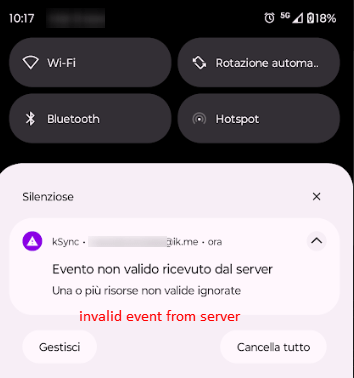
and click on "View Details"
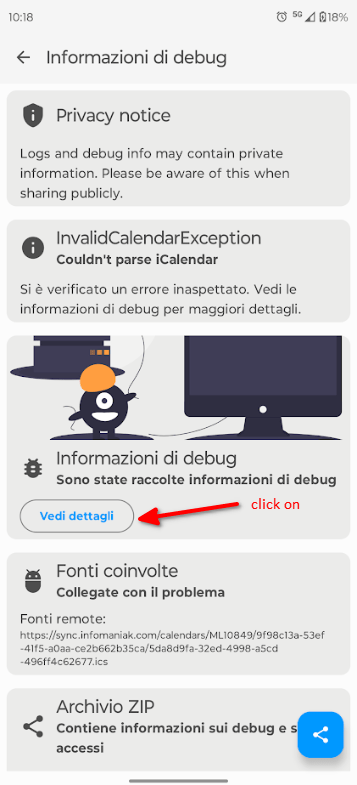
Export the debug-info.txt log to a folder or PC.
Step 2: Analyze the Debug Log
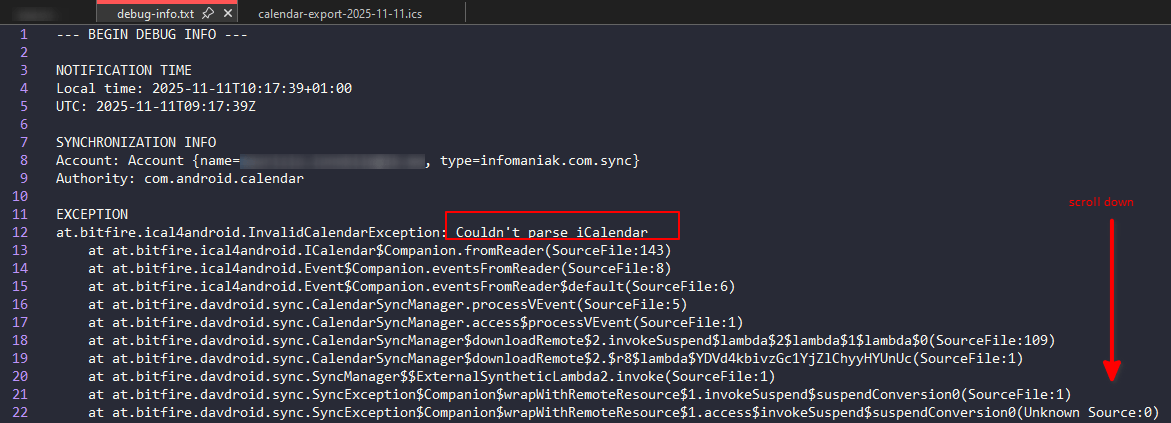
Open debug-info.txt and look for the "parse error"
Scroll down until you find "REMOTE RESOURCE" and extract the problematic eventID
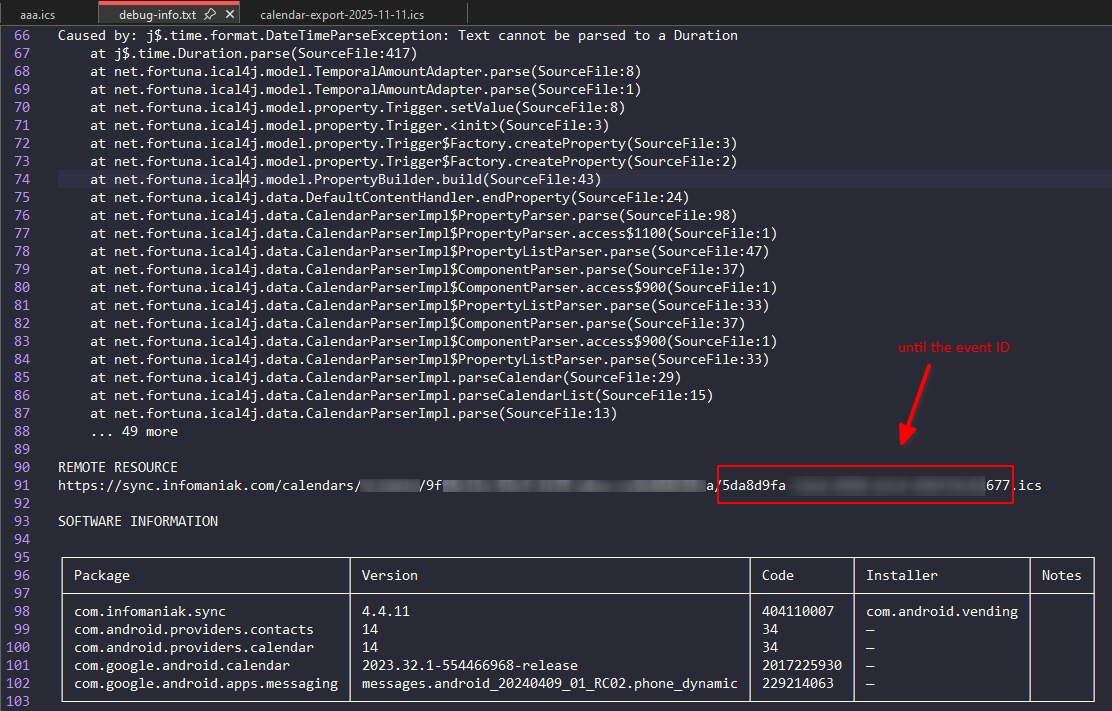
Step 3: Find the Bad Event in the ICS File
In Infomaniak Calendar, export the ICS file
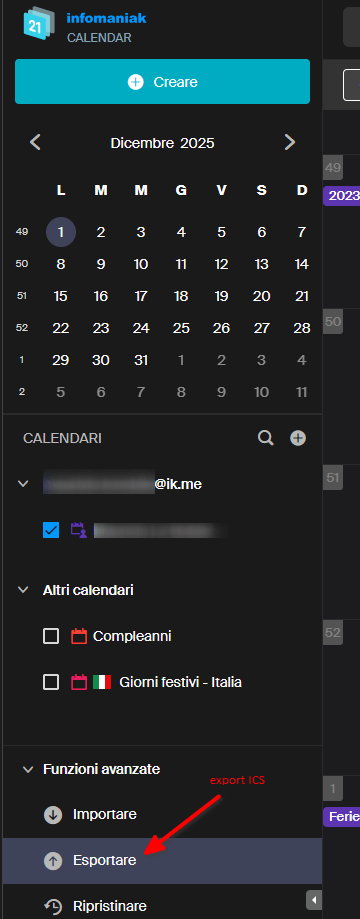
Open it and search for the eventID...
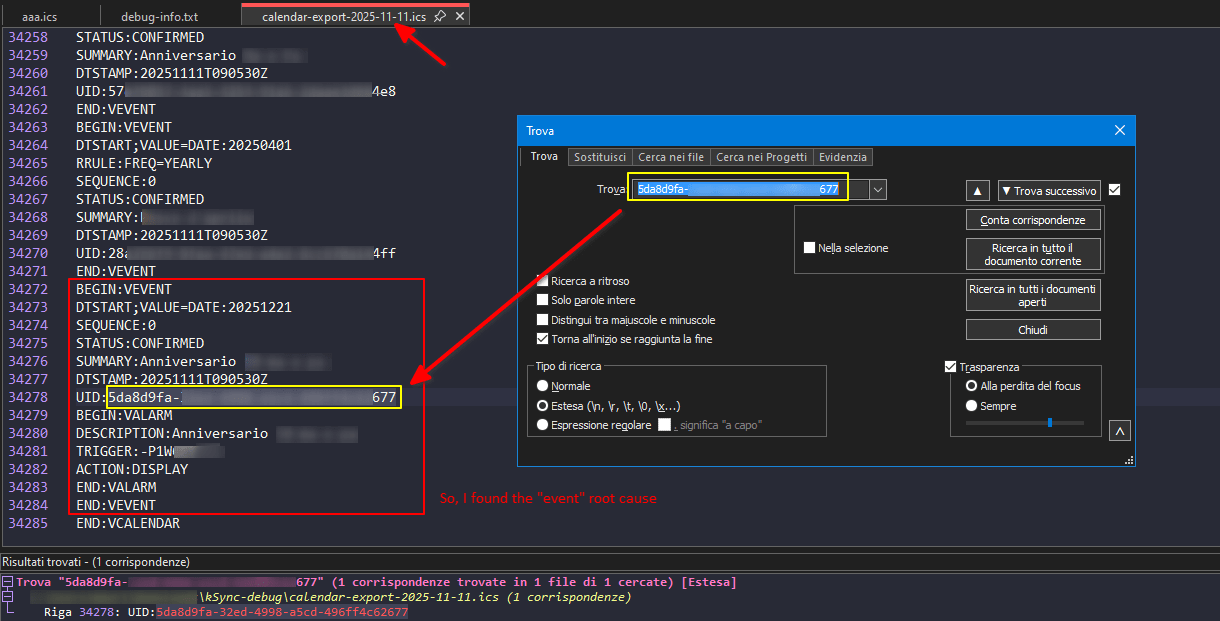
...and boom! There's the problematic event.
Conclusion
Using this method, you can identify the "bad" event causing ksync synchronization errors and then recreate it manually.
Once you've found the corrupted event:
- Delete it from the ICS file (or from Infomaniak Calendar directly)
- Force a resync in Ksync
- Recreate the event manually if needed
Hope this helps anyone stuck with similar sync issues!
TL;DR: Debug log → find eventID → search in ICS export → found the corrupted event → delete & recreate.